Loading...
Loading...
Paste a script, edit the storyboard prompt, and generate a cinematic 12-panel storyboard sheet for music videos, dance scenes, ads, and short films.
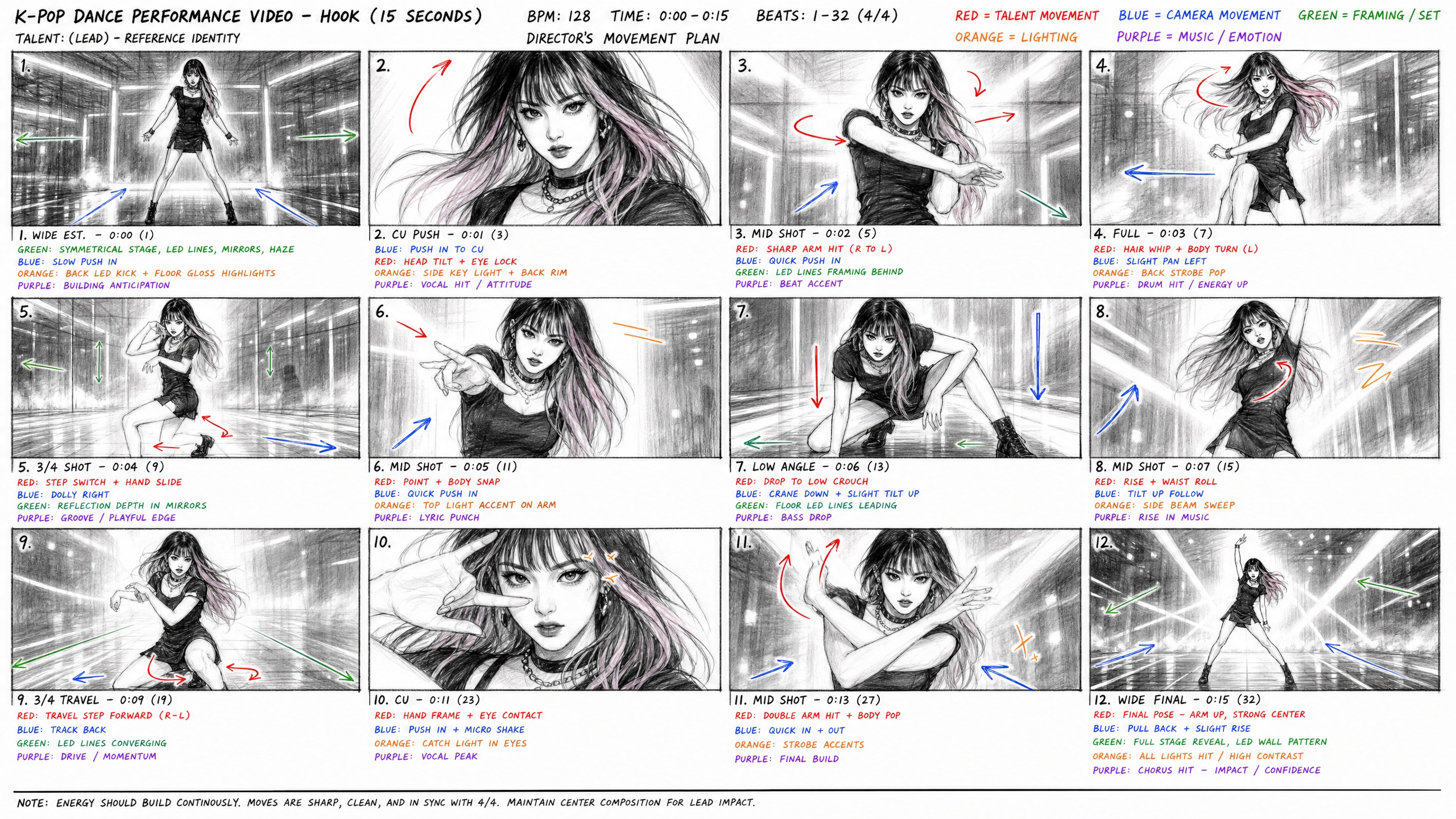
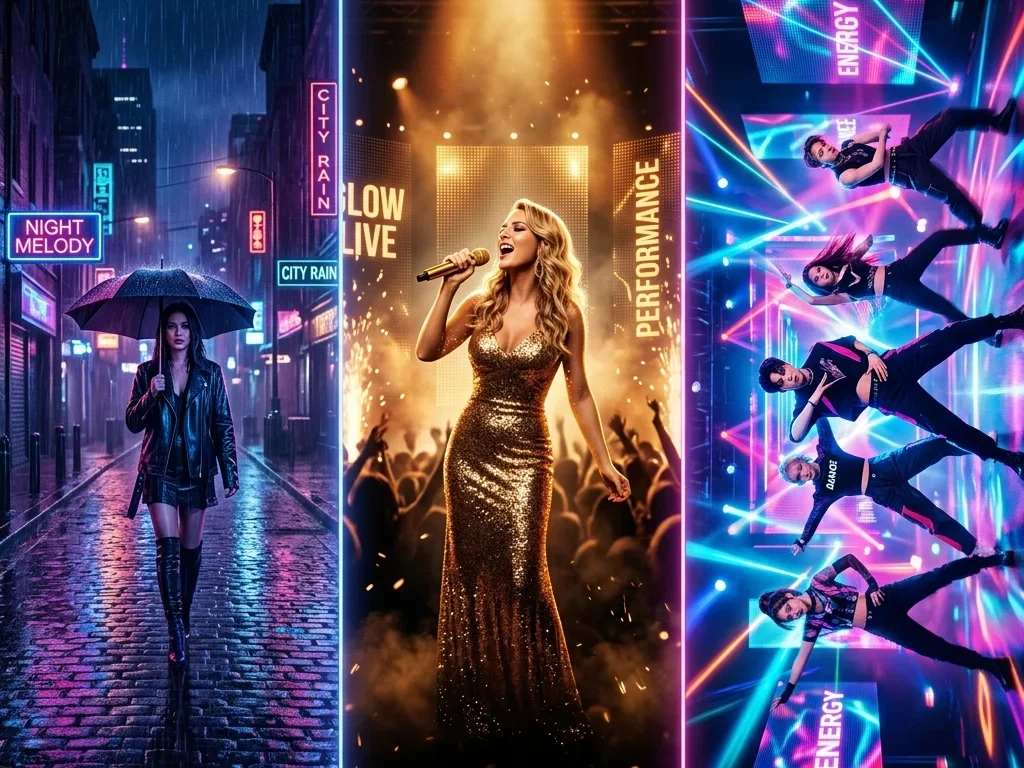
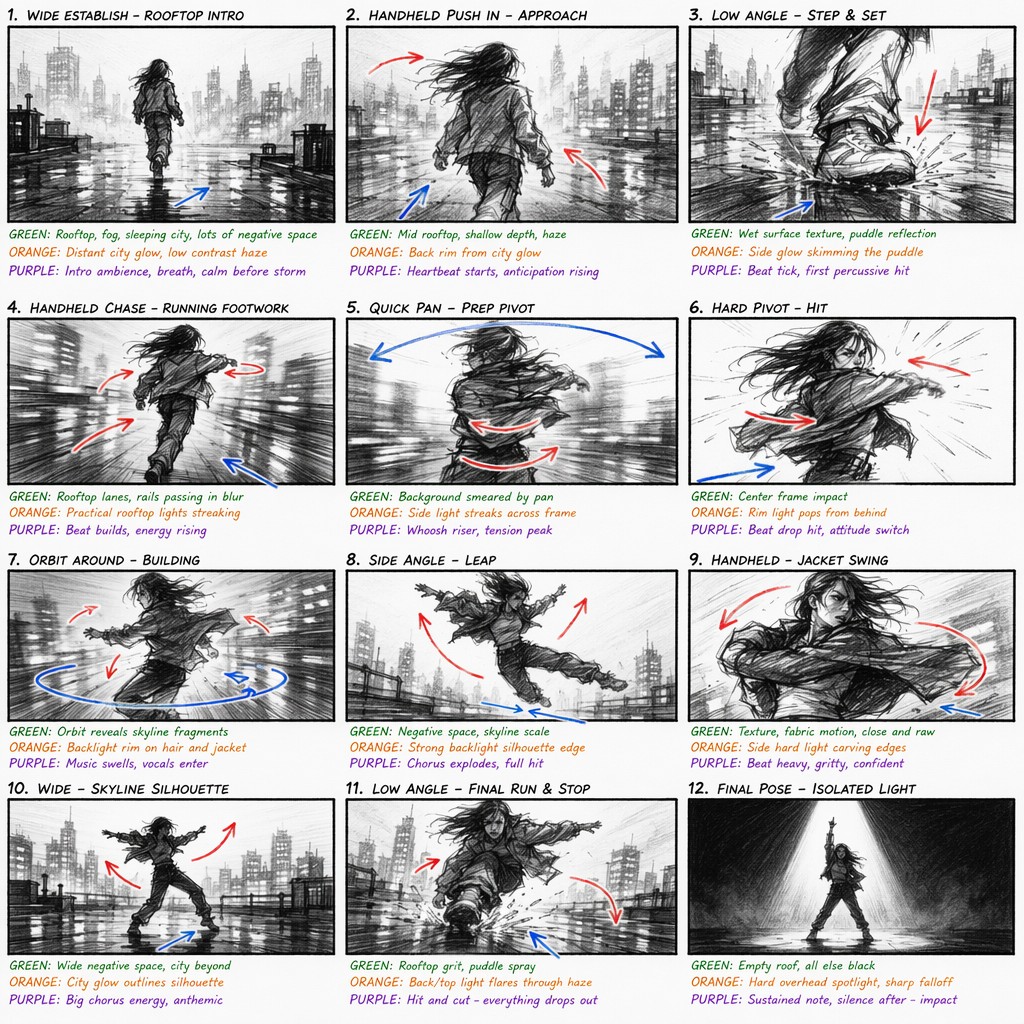
This page uses a storyboard-specific case-study block built around annotated board images. Each case pairs one video direction, one suggested song direction, four key beats, and a reusable prompt that can be loaded back into the generator from the example menu.
Use storyboards to make visual decisions earlier.
Turn a song concept into a visual plan before spending time on production. BeatMV can sketch performance beats, camera moves, close-ups, transitions, and final poses in one board. Artists and directors can review the full emotional arc, spot weak moments, and align on the strongest visual rhythm before filming or generating video scenes.
Advertising ideas often need to be understood quickly by clients, producers, and stakeholders. Use BeatMV to transform a product script into a storyboard that shows camera direction, subject placement, movement, and key reveal moments. The generated board gives your pitch more structure without waiting for a full design pass. It also makes revisions easier.
Game teams can use BeatMV to explore cutscene beats, character entrances, camera angles, and environment reveals before building assets. A rough storyboard helps writers, artists, and animators discuss action flow in a shared visual format, especially when the scene still lives mostly in a script or design note. It reduces guesswork early.
Launch videos need a clear sequence: problem, product, key feature, proof, and final call to action. BeatMV can turn that structure into a storyboard sheet for marketing reviews. The board helps teams discuss transitions, screen direction, visual emphasis, and pacing before editing or AI generation begins. It keeps feedback concrete.
Plan visual sequences without complex drawing software.
Paste a scene, treatment, choreography note, or beat list and BeatMV turns it into one readable 16:9 storyboard sheet. The result keeps the whole sequence visible at once, so you can judge pacing, action, shot variety, and missing beats quickly before production starts.
The storyboard prompt is visible and editable before generation. You can keep the default pencil-board style, add choreography references, adjust camera language, or push the output toward cleaner production boards for client reviews and creative meetings without losing control of the visual rules.
The default prompt asks for red motion arrows, blue camera arrows, green composition notes, orange lighting cues, and purple sound or emotion marks. These annotations make each frame easier to understand when collaborators review the board together and discuss scene direction.
BeatMV uses GPT Image 2 as the default storyboard model because detailed prompts matter for panel structure and annotations. If you want alternate visual behavior, switch to NanoBanana Pro or NanoBanana 2 from the same compact control and compare different board styles.
This tool is tuned for action-heavy scenes, performance blocking, camera motion, and dramatic light direction. It works well for music videos, dance concepts, lyric scenes, short ads, and visual treatments that need clear physical momentum across every panel. It makes rough blocking feel less static.
Once the storyboard is generated, download the image and use it in a brief, pitch deck, production note, or AI video prompt package. The sheet format is easy to share with directors, artists, editors, and clients during fast review cycles.
Create clearer boards with fewer manual steps.
BeatMV turns written scenes into an image sheet quickly, so you can test scene order, shot rhythm, and mood before spending time drawing or building a full video project. It is useful when ideas are still changing and teams need quick alignment.
You are not locked into a hidden prompt. BeatMV shows the storyboard guidance directly, making it simple to adjust visual rules, camera language, annotation style, and action intensity for each script or production style before spending credits. This keeps the workflow transparent.
A single 16:9 board is easy to review in meetings, decks, chats, and planning documents. It keeps the full sequence visible without forcing collaborators through a complex editor or a long frame-by-frame file during early reviews. Everyone sees the same plan.
Your scripts and generated storyboard images stay connected to your BeatMV account. Use the tool for early ideas, client pitches, and unreleased creative treatments without making rough concepts public before they are ready for approval. This protects early creative direction.
Storyboards help teams understand scenes faster.
I used BeatMV to turn a rough performance idea into a 12-panel storyboard before talking with the artist. The colored motion and camera notes made the concept easier to explain, and we fixed weak transitions before booking the shoot. It saved the first meeting from becoming abstract and gave the dancer clearer direction.
Maya Thompson
Music Video Director
Pitch decks used to take me a full afternoon when I needed visual boards. With BeatMV, I paste the script, tune the prompt, and get a usable storyboard sheet that helps clients understand the action immediately. The board gives me a visual starting point instead of a blank slide and speeds up approvals.

Jordan Ellis
Creative Producer
Dance scenes are difficult to describe in a normal prompt. BeatMV's default storyboard style captures body direction, camera flow, and final poses, so I can plan short-form videos before rehearsing with my crew. It helps everyone see where the movement should peak and how the camera should chase it clearly.

Avery Brooks
Dance Content Creator
Discover more BeatMV tools for music video, image, and song creation.
Continue from visual planning to music analysis, editable scenes, video generation, shot-level retries, and final export in one project.
Turn a script into a visual board in three steps.
Add a scene, treatment, choreography note, or full script into the script field. Keep the action clear and include the key emotion, subject, setting, camera idea, and ending pose you want the board to capture. Specific details help the model.
Review the default GPT Image2 storyboard prompt before running the model. You can keep its 12-panel pencil-board style or adjust movement, camera, annotation, lighting, and composition rules for the scene you are planning. The field stays editable for every generation.
Choose GPT Image 2, NanoBanana Pro, or NanoBanana 2, then generate the board. When the image is ready, review it in the display area and download it for production planning or client review. Keep the image with your brief notes.
Answers to common storyboard planning questions.
Use BeatMV AI Storyboard Generator to turn your next script into a visual shot plan before production starts.
Try AI Storyboard Generator Now